NDIS Dashboard Software & App for Providers | RotaWiz

Centralised Dashboard for Effortless and Quick Rostering

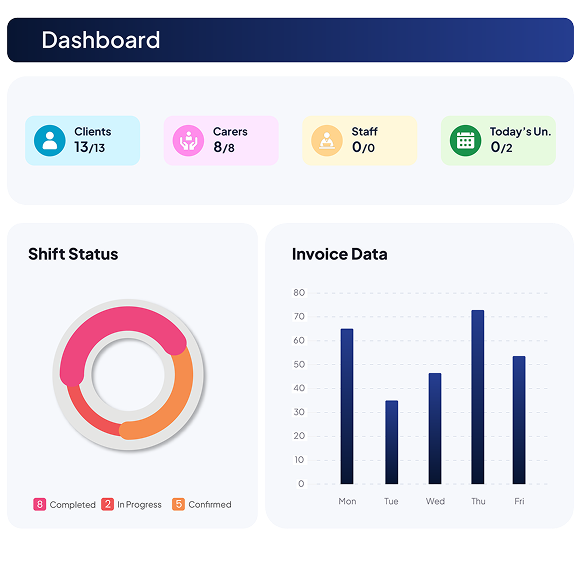
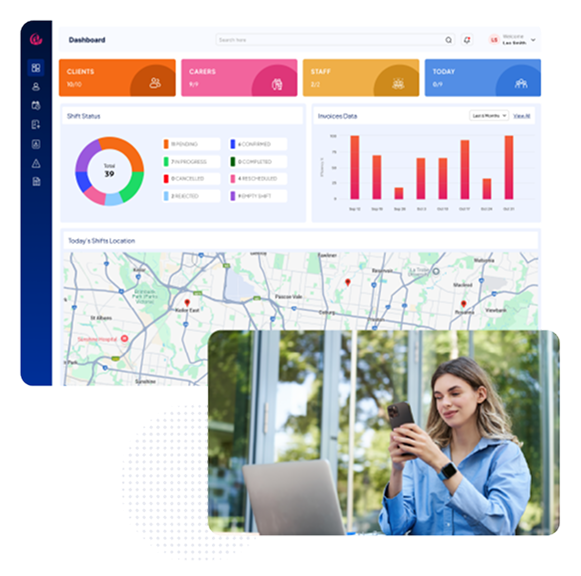
Managing schedules, shifts, and invoicing becomes effortless with RotaWiz’s intuitive and user-friendly dashboard. Designed for clarity and efficiency, the dashboard provides a unified view of clients, employees, staff, shifts, invoices, and locations — all in one place. With visual graphs, map integration, and downloadable reports, our NDIS-compliant software with a dashboard ensures you always stay in control of your operations.

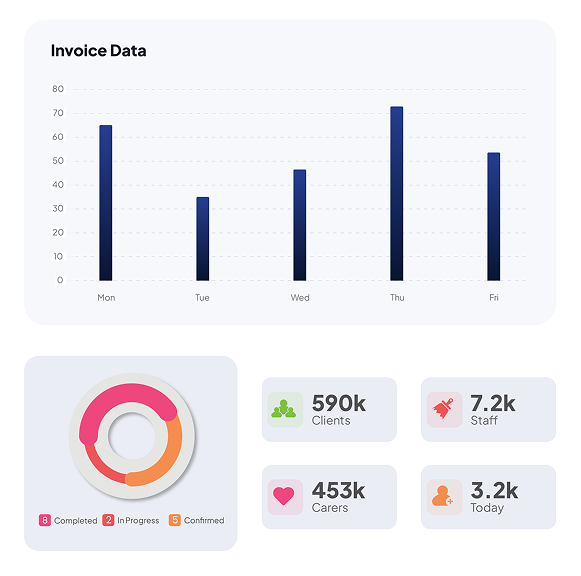
Centralised Overview

Get real-time numbers of clients, employees, and staff, making it easier to track active and inactive users.

Quick View

Track how many clients and employees are registered on the roster.

Active Users

Get instant insights into how many are actively engaged at any given time.

Workforce Transparency

Maintain clear oversight of your workforce and participant pool without switching screens.

Rotawiz Design

Instant Shift Status

Colour-coded graphs simplify shift monitoring, helping admins and managers stay on top of workforce performance.

Shift Breakdown

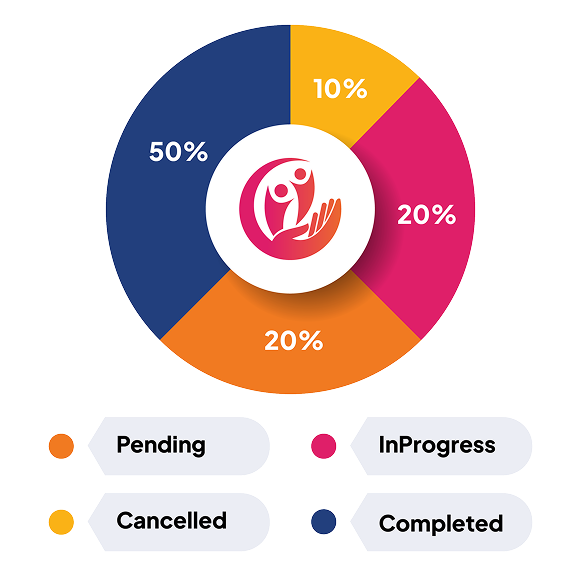
View shifts by status: cancelled, completed, empty, confirmed, in progress, pending, rejected, and rescheduled.

Visual Graphs

Graphs with clear colour coding make it easy to interpret shift performance.

Operational Oversight

Identify scheduling gaps, delays, or cancellations instantly.

Rotawiz Design

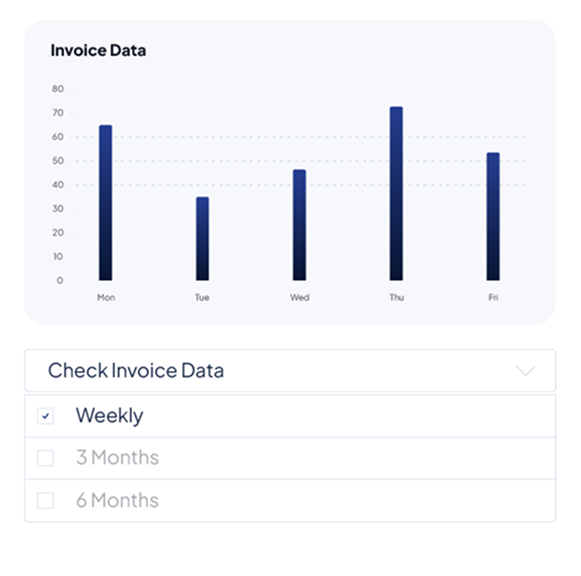
Easy  Invoice Tracking

The dashboard integrates invoicing insights directly, making financial management smoother and more transparent.

Filter Options

View invoices weekly, monthly, or across three months with a single click.

Graphical Representation

Visual invoice graphs simplify financial tracking for quick analysis.

Downloadable Reports

Admins can download invoice data anytime for compliance or audits.

Rotawiz Design

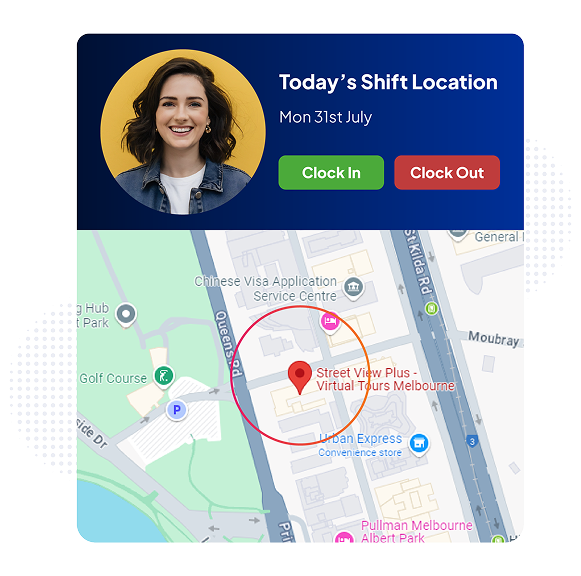
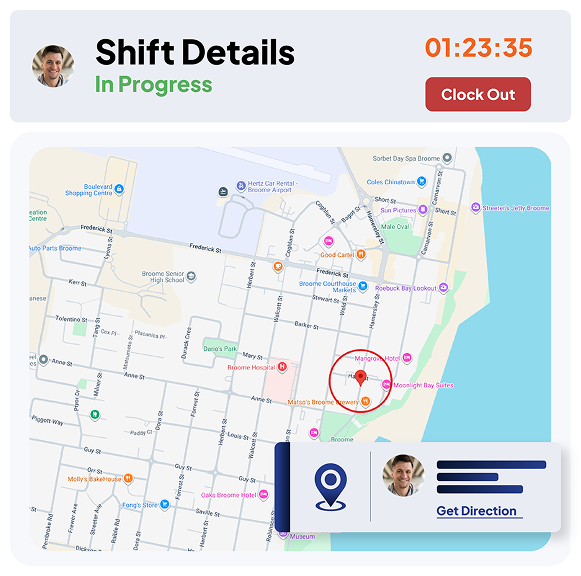
Interactive Map for Shift Locations

RotaWiz brings shift details to life with a map view, allowing instant recognition of multiple shift locations.

Location Markers

See where each shift is scheduled directly on the map.

Instant Insights

Hover over a shift to instantly view client name, carer name, shift time, and address details.

Geographical Clarity

Plan and manage rostering more effectively by understanding shift distribution.

Rotawiz Design

Real-Time Data Access

The dashboard integrates invoicing insights directly, making financial management smoother and more transparent.

Instant Updates

Shift status, invoices, and staff activity refresh in real time for reliability.

Dynamic Visibility

No delays in accessing the latest records, schedules, and compliance data.

Smarter Decision-Making

Act quickly based on real-time insights rather than outdated reports.

Rotawiz Design

Workforce Analytics

Our NDIS app with a dashboard gives providers access to detailed analytics for smarter planning and rostering.

Staff Allocation Insights

Understand how carers are distributed across different shifts and locations.

Shift Performance

Visualise completed, pending, and cancelled shifts to monitor service delivery.

Financial Clarity

Plan and manage rostering more effectively by understanding shift distribution.

Rotawiz Design

User-Friendly Interface

The dashboard is designed to be simple, intuitive, and accessible for admins and carers alike.

Clean Layout

Visual graphs, maps, and numbers are displayed in a clutter-free format.

Easy Navigation

Admins can switch between shifts, invoices, and staff data in a few clicks.

Inclusive Design

The interface ensures both experienced managers and new carers find it easy to use.

Rotawiz Design

Go Extra Mile With Our Advanced Features

Invoicing

Manage accounting seamlessly, integrating invoices, bills, and expenses to match the delivery instantly and accurately.

Calendar Management

View, organise, and manage all shifts in one unified calendar for seamless visibility and planning.

Worker’s Mobile App

Enable carers to access schedules and shift details, and get notified through a user-friendly mobile app.


FAQs

How do I import client and employees data into RotaWiz?

With RotaWiz, importing client and employees data is simple. You just need to download our ready-to-use templates, fill in client or employee details, and upload them into the system. The import client and employees software automatically validates your data, checks for errors, and syncs records instantly—saving you time and ensuring accuracy.

Import client and employees software is designed to help providers migrate data from existing systems into RotaWiz without manual entry. It reduces errors, prevents duplicate records, and ensures all client and employee details are consistent across the platform. This makes your setup faster and keeps your database clean and reliable.

Yes. RotaWiz supports cross-platform data import. Whether you’re moving from spreadsheets, HR systems, or other rostering tools, the import client software and import employees software accept data in flexible templates. This makes it easy for providers of all sizes to migrate without losing important information.

RotaWiz includes automatic validation during the import process. The system checks for missing fields, incorrect formats, or duplicate entries before uploading. This means your import client and employees records are always accurate, structured, and ready to use—without the chaos of manual corrections.

Absolutely. By eliminating manual entry, the import employees software and import client software help admins save hours of repetitive work. This allows providers to set up RotaWiz quickly, focus less on admin tasks, and dedicate more time to delivering high-quality care for their clients.

Want to Deliver a

Higher Standard of Care and Manage Your Team Effortlessly?

We Got You Covered For All Your Questions!

Visit our dedicated page to get your queries and questions addressed with detailed information.

cta Yellow shap Rotawiz
cta shap Rotawiz
cta Yellow shap Rotawiz
cta light shap Rotawiz