


Roles and Permissions for Complete Access Control
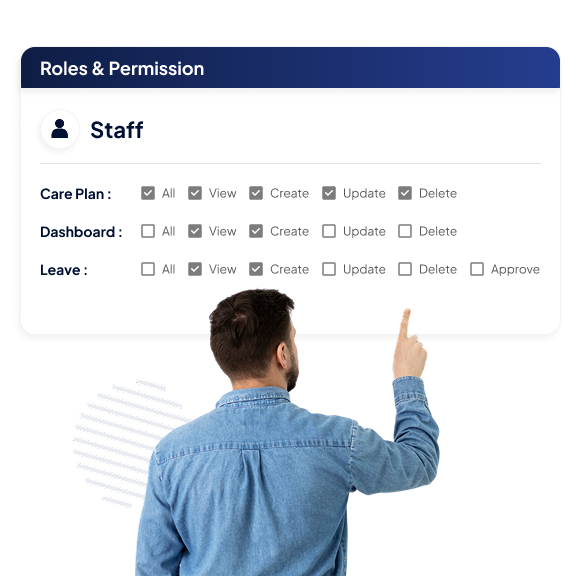
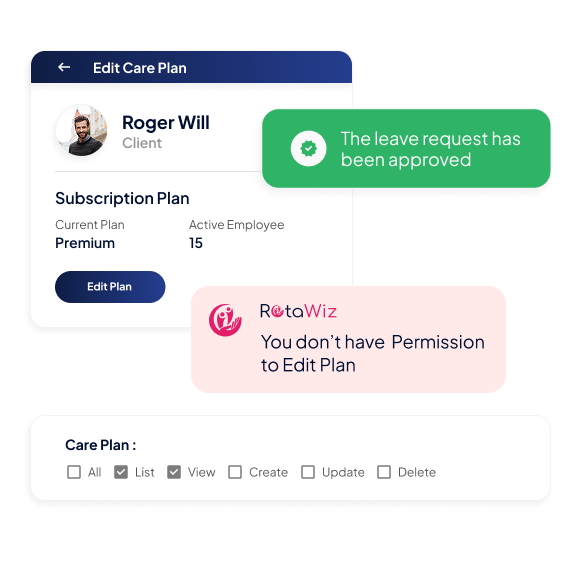
The roles and permissions in the NDIS software feature empower admins to manage exactly what carers and staff can access. By assigning roles and selecting permissions through simple checkboxes, admins can allow or disallow actions such as listing, viewing, creating, updating, deleting, or approving records. This ensures every staff member only sees and edits what they need—nothing more, nothing less.
Role-Based Access
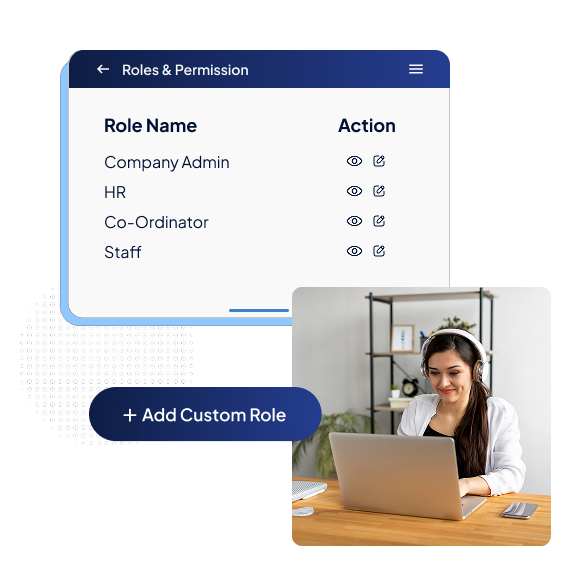
Create roles for different staff types and define permissions to match their responsibilities.
Add Custom Roles
Enter role names and descriptions to clearly define responsibilities within your organisation.
Tailored Permissions
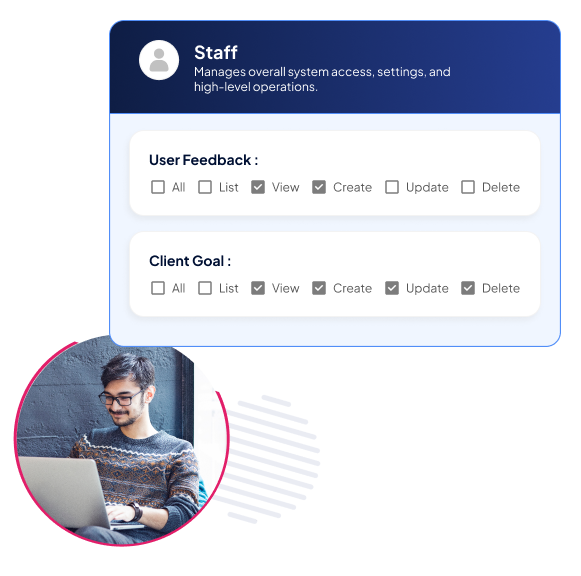
Choose from options like list, view, create, delete, update, or approve for each feature.
Complete Access
Quickly grant full functionality when a role requires complete access.
Customisable Permissions
Define unique roles and assign permissions that match organisational needs.
Role-Based Access
Create roles for carers, coordinators, or managers, each with tailored access levels.
Flexible Permissions
Allow or disallow staff to list, view, create, update, or delete based on their responsibilities.
Select-All Option
Quickly grant full access when a role requires complete functionality.
Enhanced Security
Protect sensitive participant and organisational data with structured access control.
Restricted Access
Limit sensitive information to authorised roles only.
Reduced Risks
Prevent accidental deletions or unauthorised changes with precise permission settings.
Compliance Assurance
Keep data handling aligned with NDIS requirements for safer, audit-ready operations.
Streamlined Management
Save time with an intuitive dashboard that makes permission management straightforward.
Checkbox Simplicity
Assign or adjust permissions with a single click, without complex setups.
Centralised Control
Manage all roles and permissions in one easy-to-navigate screen.
Transparent Oversight
Maintain a clear record of who has access to each function.
Better Productivity
Ensure staff stay focused and efficient by giving them access only to what they need.
Task-Focused Access
Carers and staff see only the tools and data relevant to their role.
Minimise Errors
Limit unnecessary access to reduce mistakes and confusion.
Faster Workflows
Permissions streamline processes, improving both speed and accuracy.
Go Extra Mile With Our Advanced Features
Care Plan
Task Management
Participant Management
FAQs
What are roles and permissions in NDIS software?
Roles and permissions in NDIS software define who can access, view, and manage different parts of the system. Admins can assign roles to carers, coordinators, or managers and set permissions like view, create, update, delete, or approve. This ensures staff only access what they need, improving security and compliance.
Why is a roles and permission system important for NDIS providers?
A roles and permission system helps NDIS providers control sensitive participant data, prevent unauthorised changes, and align with compliance requirements. By assigning the right level of access, providers reduce risks, improve productivity, and ensure carers and staff only see the information relevant to their role.
Can I create custom roles and permissions in the software?
Yes. The NDIS roles and permission software lets you create custom roles with clear names and descriptions. You can then assign specific permissions—such as list, view, create, update, or delete—to match organisational responsibilities. This flexibility ensures the system adapts to your unique workflow.
How does roles and permission software improve team management?
Roles and permission software streamlines management by giving admins centralised control over staff access. With simple checkbox settings, permissions can be adjusted instantly. This keeps workflows efficient, reduces errors, and helps carers focus on delivering quality support without unnecessary distractions.
Is the NDIS roles and permission feature secure and compliant?
Yes. The NDIS roles and permission feature is designed to protect sensitive participant and organisational data. By restricting access to authorised roles only, it reduces risks of accidental data loss or unauthorised edits. It also supports compliance with NDIS standards, ensuring audit-ready operations.
Want to Deliver a
Higher Standard of Care and Manage Your Team Effortlessly?
We Got You Covered For All Your Questions!
Visit our dedicated page to get your queries and questions addressed with detailed information.