1 September, 2026
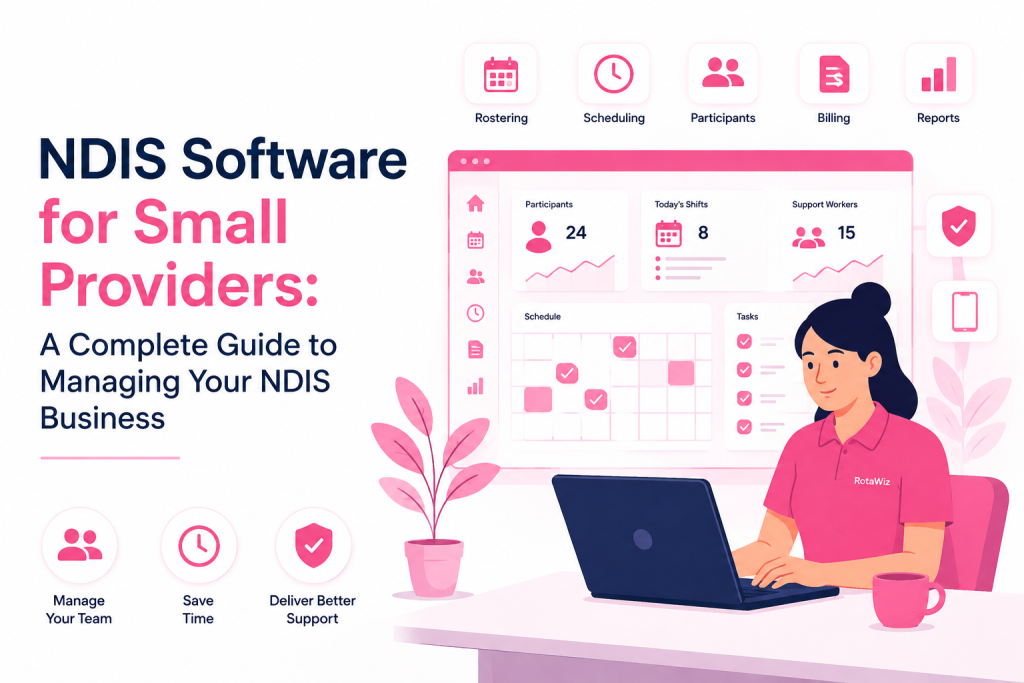
NDIS Software for Small Providers: A Complete Guide to Managing Your NDIS Business
Feature Update
10 min read
Running a small NDIS business can be rewarding, but managing participants, support workers, schedules, documentation, timesheets and invoices can quickly become difficult when everything is handled manually.
For a new or growing NDIS provider, spreadsheets, paper records, calendars and multiple disconnected tools may work for a short time. As the number of participants and support workers increases, however, these systems can lead to missed shifts, scheduling conflicts, inaccurate records and unnecessary administration.
This is where NDIS software for small providers can make a significant difference.
The right software can bring rostering, shift management, participant information, care plans, time tracking, billing and reporting into one organised system. More importantly, it allows small providers to spend less time managing administration and more time focusing on delivering quality support.
What Is NDIS Software for Small Providers?
NDIS software for small providers is a digital platform designed to help small disability service businesses manage their day-to-day operations.
Unlike generic business software, NDIS-focused software is designed around the practical requirements of disability support services, including:
- Participant management
- Support worker management
- Rostering and scheduling
- Shift management
- Care plan management
- Timesheets and time tracking
- Billing and invoicing
- Documentation
- Incident management
- Reporting
- Employee availability
- Mobile access
Small providers can use these tools to replace disconnected spreadsheets and manual processes with a centralised workflow.
The Australian Government describes NDIS providers as businesses, organisations or individuals that deliver NDIS supports, including sole traders and larger organisations.
That means software requirements can vary significantly. A solo provider may need a simple rostering solution, while a small team may need participant management, employee scheduling, time tracking and reporting in the same platform.
Why Do Small NDIS Providers Need Dedicated Software?
Small providers often operate with limited administrative resources. The owner or manager may be responsible for several functions at once, managing participants, scheduling workers, responding to staff, checking timesheets, preparing invoices and maintaining records.
Manual administration can therefore become a major part of the working day.
1. Rostering Becomes Difficult as You Grow
Creating a roster manually may seem simple when you have only a few participants and workers.
But consider a typical week:
- Multiple participants require different support times.
- Workers have different availability.
- Some shifts require specific skills.
- Workers take leave or become unavailable.
- Participants may change or cancel shifts.
- Travel time may need to be considered.
- Managers need to communicate schedule changes quickly.
One change can affect several other shifts.
NDIS rostering software can centralise this information and make it easier to create, update and manage support worker schedules.
2. Too Much Time Goes Into Administration
Small providers cannot always afford a large administrative team.
When schedules, participant details, timesheets and invoices are maintained separately, managers may spend hours moving information between systems.
A centralised NDIS management platform reduces repetitive administrative work by keeping operational information together.
3. Manual Records Can Create Errors
Spreadsheets are useful, but they depend heavily on manual data entry.
A missed update can result in:
- An outdated roster
- Incorrect worker hours
- Missing participant information
- Incorrect invoices
- Delayed communication
- Incomplete records
Automating routine processes can reduce the amount of manual work involved and make information easier to review.
Key Features to Look for in NDIS Software for Small Providers
Not every NDIS provider needs a complicated enterprise platform. For a small business, the best solution is usually one that provides the essential functionality without making everyday tasks unnecessarily difficult.
Here are the key features to consider.
1. NDIS Rostering and Scheduling
Rostering should be one of the most important features.
Look for software that allows you to:
- Create recurring shifts
- Assign workers
- Check availability
- Modify schedules
- Manage shift changes
- Reduce scheduling conflicts
- Send schedule notifications
RotaWiz, for example, provides rostering and shift management features designed to help providers create and manage support worker schedules.
2. Participant Management
Participant information should be accessible from one central location.
A good system can help providers organise information such as participant details, support requirements, goals, care plans and service information.
Centralised participant management also makes it easier for authorised team members to access current information when providing services.
3. Care Plan Management
Participant needs can change over time.
Your software should make it easy to manage care plans, update information and keep relevant team members informed.
A digital care management workflow can help reduce reliance on separate documents and spreadsheets.
4. Employee and Availability Management
Small teams need to know who is available and when.
Employee management features can help providers maintain worker information and availability, while rostering tools can use this information when planning shifts.
This becomes particularly important when a small team has limited backup workers.
5. Time Tracking and Timesheets
Accurate time tracking is important for both operational management and payroll processes.
Look for features such as:
- Clock-in and clock-out
- Mobile time tracking
- Timesheet management
- Worked-hours reporting
- Overtime tracking
- Payroll integration
RotaWiz includes mobile time tracking and payroll-related functionality to help providers manage worker hours more efficiently.
6. Billing and Invoicing
Managing billing and invoices manually can consume considerable time.
An integrated system can connect service information, worked hours and billing processes to reduce repetitive data entry.
This can help small providers spend less time preparing invoices and more time managing their service.
7. Reporting and Documentation
Good records are an important part of operating an NDIS business.
The NDIS states that providers have responsibilities around compliance, understanding relevant laws and rules, service agreements and keeping good records.
Software can help organise documentation and generate reports, but it is important to understand that using software does not automatically make a provider compliant. Providers remain responsible for meeting their applicable NDIS and legal obligations.
8. Mobile Access
NDIS services often happen away from the office.
Support workers may need to check shifts, record information or update timesheets while working with participants.
Mobile access allows providers and workers to stay connected without relying on desktop computers.
How NDIS Software Helps Small Providers Save Time
The biggest advantage of using dedicated software is not simply having more features. It is reducing the number of manual steps involved in everyday operations.
Consider a typical workflow.
Without dedicated software:
Participant information → Spreadsheet → Worker availability → Calendar → Manual roster → Messages → Timesheet → Invoice → Separate records
With an integrated system:
Participant → Shift → Worker → Time tracking → Records → Billing → Reporting
The second approach creates a more connected workflow.
For a small NDIS provider, saving even a small amount of administrative time every day can become significant over a month or year.
Is NDIS Software Worth It for a New Provider?
Yes, but the right software depends on the size and needs of your business.
A new provider with one or two workers may initially manage operations manually. However, building structured systems early can make future growth easier.
This is especially useful if you expect to:
- Add more support workers
- Serve more participants
- Offer recurring services
- Expand into new locations
- Improve operational reporting
- Reduce administrative workload
The important point is to choose software that can grow with your business rather than forcing you to migrate to another platform as soon as your team expands.
How to Choose the Best NDIS Software for a Small Provider
Before choosing a platform, ask these questions:
Does it support small teams?
Enterprise software can include features that small businesses rarely use. Choose a system that is easy to understand and practical for your current team size.
Does it simplify rostering?
Rostering should be faster and clearer than your current spreadsheet or calendar process.
Can workers access it on mobile?
Mobile accessibility is important for teams working in the community.
Can it manage participants and workers together?
Keeping participant and employee information connected can reduce duplicated administration.
Does it support time tracking and billing?
Integrated workflows can reduce the need to enter the same information into multiple systems.
Can the software scale?
Your software should continue to work when your team and participant numbers increase.
Is the pricing suitable for a small business?
Cost matters for new NDIS providers. Look for transparent pricing and a plan that matches your actual team size rather than paying for unnecessary enterprise features.
NDIS Software and the Changing Provider Environment
The NDIS environment continues to evolve, so small providers need systems that can support organised operations and good record keeping.
For example, the NDIS announced that providers delivering Supported Independent Living (SIL) and/or NDIS digital platform services are subject to mandatory registration requirements, with affected SIL providers required to register or apply to register by 1 October 2026.
The exact obligations depend on the services and circumstances of each provider, so businesses should always refer to current NDIS and NDIS Commission guidance rather than relying solely on software.
Technology should support compliance processes — not replace professional judgement or regulatory advice.
Why RotaWiz Is a Practical Choice for Small NDIS Providers
For small and new providers, RotaWiz combines core operational features in one platform.
The platform is designed around NDIS and care-provider workflows, including:
- Rostering and scheduling
- Shift management
- Participant management
- Care plan management
- Employee management
- Time tracking
- Timesheets
- Billing and invoicing
- Incident management
- Reporting
- Mobile access
- Employee availability tracking
RotaWiz also positions its solution around affordable and scalable rostering for small providers, including a free-forever plan.
This can make it particularly relevant for providers who want to move away from spreadsheets and manual administration without immediately investing in a complex enterprise system.
Final Thoughts
Running a small NDIS provider business requires more than delivering quality support. You also need to manage workers, schedules, participant information, records, timesheets, invoices and day-to-day administration.
As your business grows, manual systems can become difficult to maintain.
NDIS software for small providers can simplify these processes by bringing rostering, participant management, time tracking, billing and reporting into one connected platform.
The best software is not necessarily the one with the most features. It is the one that makes your everyday work easier, supports your team and can grow alongside your business.
For small and new NDIS providers, starting with an organised digital workflow can help create a stronger foundation for efficient service delivery and sustainable growth.
Frequently Asked Questions
Q.1 What is the best NDIS software for small providers?
The best NDIS software for a small provider should be easy to use, affordable and scalable. Important features include rostering, participant management, employee management, time tracking, billing, documentation and reporting.
Q.2 Is NDIS rostering software useful for small providers?
Yes. NDIS rostering software can help small providers manage support worker availability, create shifts, reduce scheduling conflicts and communicate roster changes more efficiently.
Q.3 Can a new NDIS provider use NDIS software?
Yes. New providers can use NDIS software to establish structured processes for managing participants, workers, rosters, timesheets, documentation and billing from the beginning.
Q.4 What features should small NDIS providers look for?
Key features include rostering, shift management, participant and care plan management, employee availability, time tracking, timesheets, billing, reporting and mobile access.
Q.5 Does NDIS software automatically make a provider compliant?
No. Software can support record keeping, reporting and operational processes, but it does not automatically make a provider compliant. Providers remain responsible for understanding and meeting their applicable NDIS, legal and regulatory obligations.
Q.6 Is RotaWiz suitable for small NDIS providers?
RotaWiz is designed to support small and growing NDIS providers with rostering, participant management, shift management, time tracking, billing and other operational features. Its small-provider solution also includes a free-forever plan.