29 July, 2026
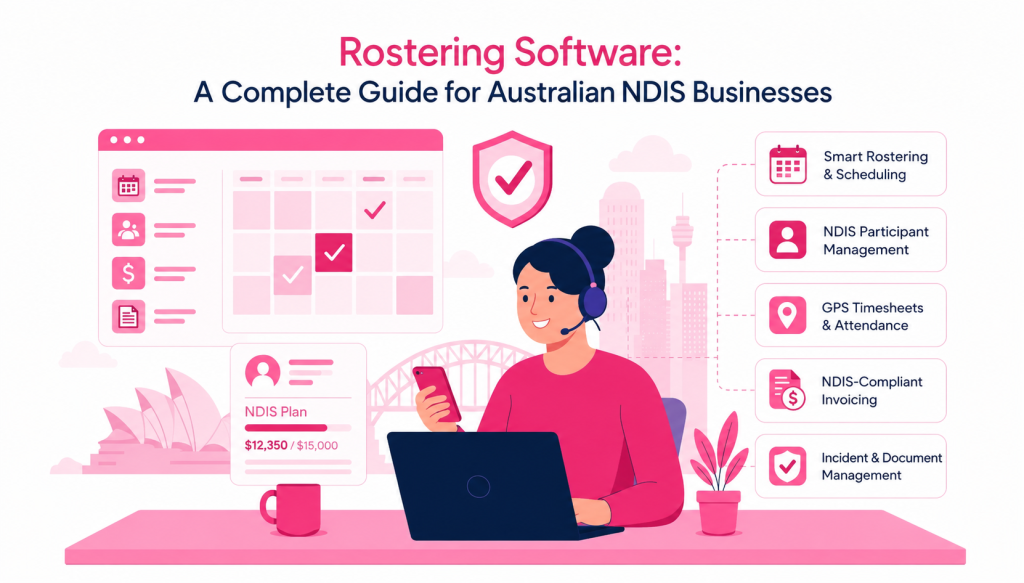
Dashboard of rostering software for managing employee schedules, shifts, and timesheets in Australian NDIS businesses
Feature Update
10 min read
Managing a team can become difficult when your business starts growing. More employees mean more shifts, more availability to track, more leave requests, and more last-minute changes to handle.
For many Australian businesses, rostering is still managed using spreadsheets, phone calls, emails, or messaging apps. While these methods may work for a small team, they can quickly become difficult to manage as the business grows.
This is where rostering software can help.
Rostering software gives businesses one central place to create schedules, manage shifts, track availability, communicate with employees, and keep important information organised. Instead of spending hours updating spreadsheets and sending messages, managers can manage the roster from a single platform.
But how do you know if your business really needs rostering software? And what features should you look for when choosing a rostering system?
Let’s take a closer look.
What Is Rostering Software?
Rostering software is a digital tool that helps businesses plan and manage employee schedules.
Instead of creating a roster manually, managers can use software to:
- Create and assign shifts
- Manage employee availability
- Track leave and unavailability
- Make last-minute roster changes
- Send shift updates and notifications
- Track working hours and timesheets
- Manage employee and client information
- Keep records in one central location
Modern online rostering software can also give employees access to their schedules through a mobile app. This means employees can check their upcoming shifts, receive updates, and stay informed without constantly contacting their manager.
For businesses with mobile teams, including NDIS providers, aged care organisations, allied health care services, cleaning companies, and other service-based businesses, this can make daily scheduling much easier.
Why Are Businesses Moving Away From Spreadsheets?
Spreadsheets are familiar and easy to start with. For a very small team, they may be enough.
The problem starts when your roster becomes more complicated.
Imagine managing 30 employees across different locations. Some employees are unavailable on certain days. Others have approved leave. A client changes their appointment time, and suddenly you need to move several shifts.
With a spreadsheet, one small change can lead to several other updates.
You may need to:
- Update the roster.
- Check employee availability.
- Contact the employee.
- Send the updated schedule.
- Update the timesheet.
- Inform other team members.
- Make sure the correct hours are recorded.
This creates extra admin work and increases the chance of mistakes.
With an online rostering system, changes can be managed from one place and shared with the right people more quickly.
What Are the Benefits of Rostering Software?
The right rostering software is not just about creating a schedule. It can help improve the way your team manages day-to-day operations.
1. Save Time on Scheduling
Creating a roster manually can take hours every week.
A good rostering system allows managers to create recurring shifts, copy previous schedules, and make changes through a central calendar.
This means less time spent building rosters and more time available for running the business.
2. Make Shift Changes Easier
Last-minute changes are common in many industries.
An employee may call in sick. A client may change their appointment. A shift may need to be cancelled or moved.
Instead of relying on multiple phone calls and messages, managers can update the roster and notify the relevant employees.
This helps everyone stay on the same page.
3. Improve Team Communication
When employees do not know about a roster change, misunderstandings can happen.
Rostering software can provide notifications when a shift is assigned, changed, or cancelled. Employees can also check their schedules from their mobile devices.
This creates a clearer process for both managers and employees.
4. Manage Availability and Leave
Employee availability is one of the most important parts of creating a workable roster.
A rostering system can help managers see when employees are available, unavailable, or on leave before assigning shifts.
This can reduce unnecessary back-and-forth communication and make it easier to find suitable coverage.
5. Improve Timesheet Accuracy
Knowing when someone was scheduled to work and when they actually worked can be important for accurate records.
Some rostering platforms also include time tracking and clock-in/clock-out features. This can help businesses keep better records of working hours and reduce the need for manual timesheet entry.
6. Keep Information in One Place
Managing schedules in one system and employee information somewhere else can make everyday work harder.
A central platform can help businesses organise employee details, client information, documents, shift notes, and schedules in a more structured way.
This is particularly useful for businesses where employees work across different locations or provide services to multiple clients.
What Features Should You Look for in Rostering Software?
Not every rostering platform offers the same features. Before choosing a solution, consider what your business actually needs.
Here are some important features to look for.
Easy Shift Scheduling
The software should make it simple to create, assign, edit, and repeat shifts.
A clear calendar view can help managers quickly understand who is working, when they are working, and where coverage may be missing.
Employee Availability
Look for a system that allows employees to manage or submit their availability and unavailability.
This can make scheduling easier and help reduce conflicts.
Mobile Access
Your team may not always be sitting at a desk.
A mobile app allows employees and managers to access important roster information while they are on the move.
Notifications and Alerts
When a shift changes, employees need to know.
Automatic notifications can help keep everyone updated about new shifts, cancellations, and schedule changes.
Timesheets and Time Tracking
If your business needs to track working hours, consider software that includes timesheets or clock-in and clock-out functionality.
This can help improve record keeping and make the process of reviewing hours easier.
Integrations
If you already use accounting or business management software, check whether your rostering platform integrates with the tools you use.
Integrations can reduce duplicate data entry and help connect rostering with other parts of your business.
Client and Employee Profiles
For service-based businesses, having detailed employee and client profiles can be useful.
Depending on your industry, you may need to manage information such as skills, qualifications, documents, care plans, preferences, or support requirements.
The right system should make this information easy to access while keeping it organised.
Who Can Benefit From Rostering Software?
Rostering software can be useful across many industries.
NDIS and Disability Support Providers
NDIS providers often manage complex schedules involving support workers, participants, appointments, and changing service requirements.
NDIS rostering software can help providers manage shifts, participant information, worker availability, timesheets, and other daily operations from one system.
For small and growing providers, reducing manual admin can make a meaningful difference.
Aged Care and Community Services
Care providers often need to coordinate employees across multiple clients and locations.
A digital roster can make it easier to manage recurring shifts, employee availability, leave, and changes to client schedules.
Allied Health Businesses
Physiotherapists, occupational therapists, speech pathologists, and other allied health professionals may work across clinics, client homes, and community locations.
A central scheduling system can help teams manage appointments and staff availability more efficiently.
Cleaning and Other Mobile Service Businesses
Businesses with employees working at different locations can also benefit from online rostering software.
Managers can create schedules, assign shifts, and keep employees informed without relying entirely on phone calls or spreadsheets.
How to Choose the Right Rostering Software
The best rostering software is not necessarily the one with the most features.
It is the one that fits the way your business actually works.
Before choosing a platform, ask yourself:
- How many employees do we manage?
- Do employees work at different locations?
- How often do shifts change?
- Do we need a mobile app?
- How do we currently manage leave and availability?
- Do we need timesheets and time tracking?
- Do we need client or participant management?
- Does the software integrate with our existing tools?
- Is it easy for our team to learn and use?
- Can it support us as our business grows?
It is also worth checking whether the provider offers a free plan or trial. This gives your team a chance to use the software before making a long-term decision.
Simplify Rostering with RotaWiz
Managing a growing team should not mean spending your entire day updating spreadsheets and chasing employees for availability.
RotaWiz is an online rostering software solution designed to make scheduling and team coordination simpler.
With RotaWiz, businesses can create and manage shifts, use an interactive calendar, handle recurring and copied shifts, manage employee availability, send notifications, track time, and access important information from mobile devices.
For care and support providers, RotaWiz also brings rostering together with features such as participant management, care plans, task management, shift notes, and invoicing.
The goal is simple: give your team one place to manage the information they need to organise work more effectively.
If your current rostering process involves too many spreadsheets, messages, and manual updates, it may be time to consider a better approach.
Final Thoughts
Rostering is an important part of running a business with a mobile or shift-based team. When schedules are managed manually, even a small change can create extra work.
The right rostering software can help simplify scheduling, improve communication, manage availability, and keep important information organised.
Before choosing a platform, focus on the needs of your business rather than simply choosing the software with the longest feature list.
If you are looking for a simple way to manage rosters, shifts, timesheets, and team coordination, RotaWiz can help you move away from manual rostering and bring your daily scheduling into one place.
Ready to make rostering easier? Explore RotaWiz and see how it can help your team manage schedules with less admin and more clarity.
Frequently Asked Questions About Rostering Software
1. What is rostering software?
Rostering software is a digital tool that helps businesses create and manage employee schedules. It can help with assigning shifts, managing employee availability, tracking leave, sending notifications, and keeping schedules organised in one place.
2. What are the benefits of using rostering software?
Rostering software can save time, reduce manual scheduling work, improve communication, and make it easier to manage shift changes and employee availability. It can also help businesses keep better records of schedules and working hours.
3. Is rostering software suitable for small businesses?
Yes. Rostering software can be useful for small businesses as well as larger organisations. Small teams can benefit from reducing the time spent managing schedules manually and having one central place to manage shifts, availability, and team information.
4. Can employees access their roster from a mobile phone?
Many modern rostering platforms offer mobile access or a mobile app. This allows employees to check their upcoming shifts, view schedule updates, and stay informed while working away from the office.
5. How do I choose the right rostering software for my business?
Start by considering your business size, team structure, and daily scheduling needs. Look for important features such as shift scheduling, employee availability, mobile access, notifications, time tracking, timesheets, and integrations. It is also a good idea to choose software that is easy for your team to use and can grow with your business.